If you have forgotten the password of your CCTV recorder, or have taken ownership of a recorder and the password was not provided, please follow the steps below to reset your recorder.
(Black GUI) Recorder Password Reset
The recorder does not need an internet connection for this process to be completed, the device with DMSS on it, does.
Click on the "Forgot Password Option"
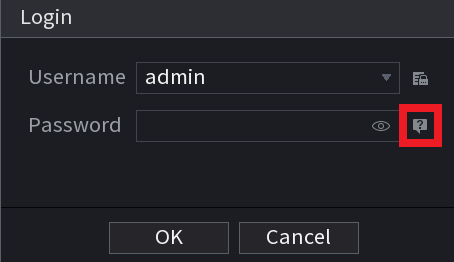
Note. If an Email was not entered during initial setup of the NVR, you will be prompted to add an email that will then be used in the following steps.
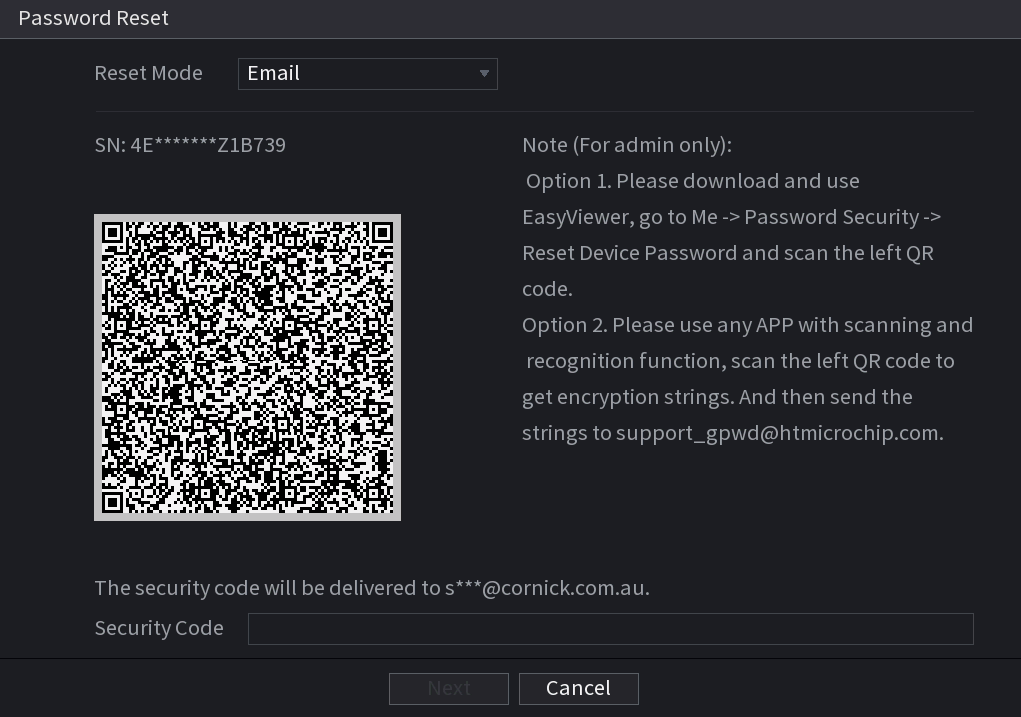 |
Set the reset type to "Email" and check that your email address has been entered correctly
(Note: If you do not have access to the email address or have typed it incorrectly please contact RhinoCo Tech Support) |
 |
Open the DMSS application and tap on the Me icon (If your application looks different, ensure you are using DMSS, and it is up to date.) |
 |
Tap on "Tool Manager" |
 |
Tap on "Password Resetting" |
 |
(Note you may have to push + on the top right if scanner does not come up right away) Scan the QR code that is on the recorder
|
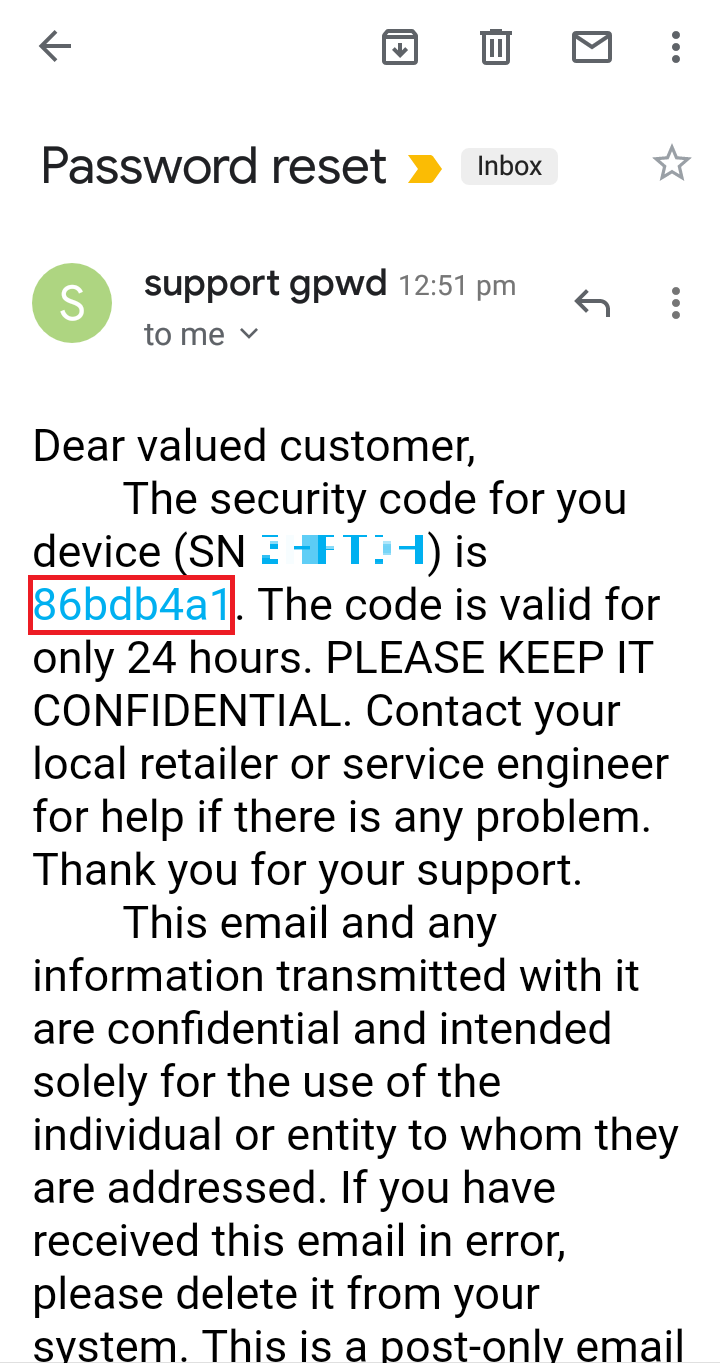 |
You will shortly receive an email from "support gpwd" that contains a reset code |
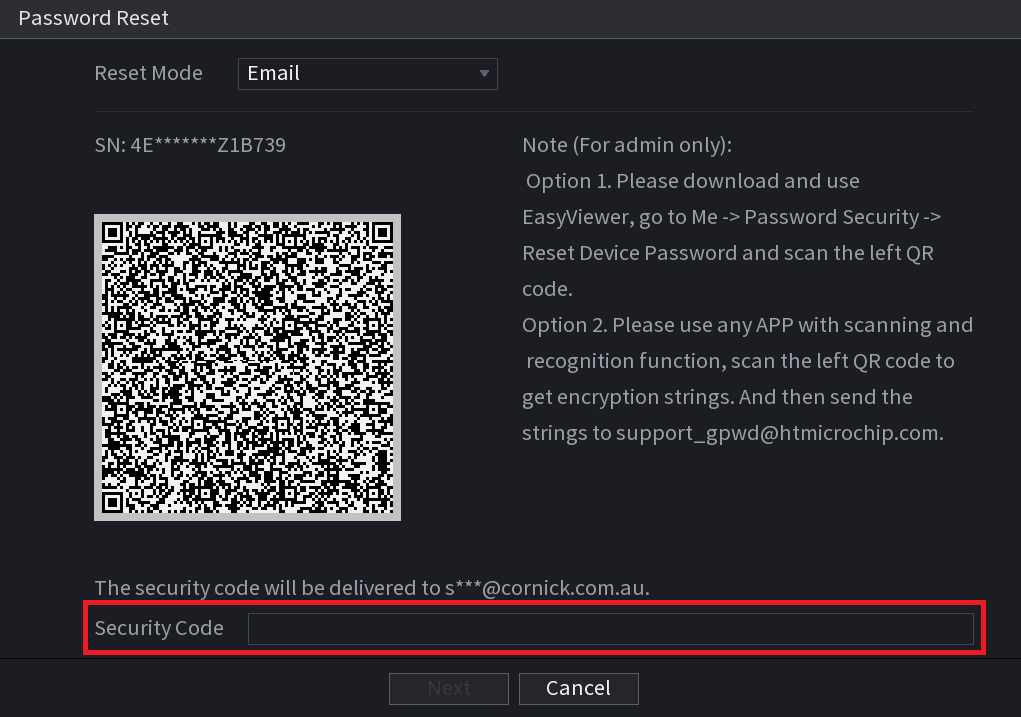 |
Enter the security code and select "next" |
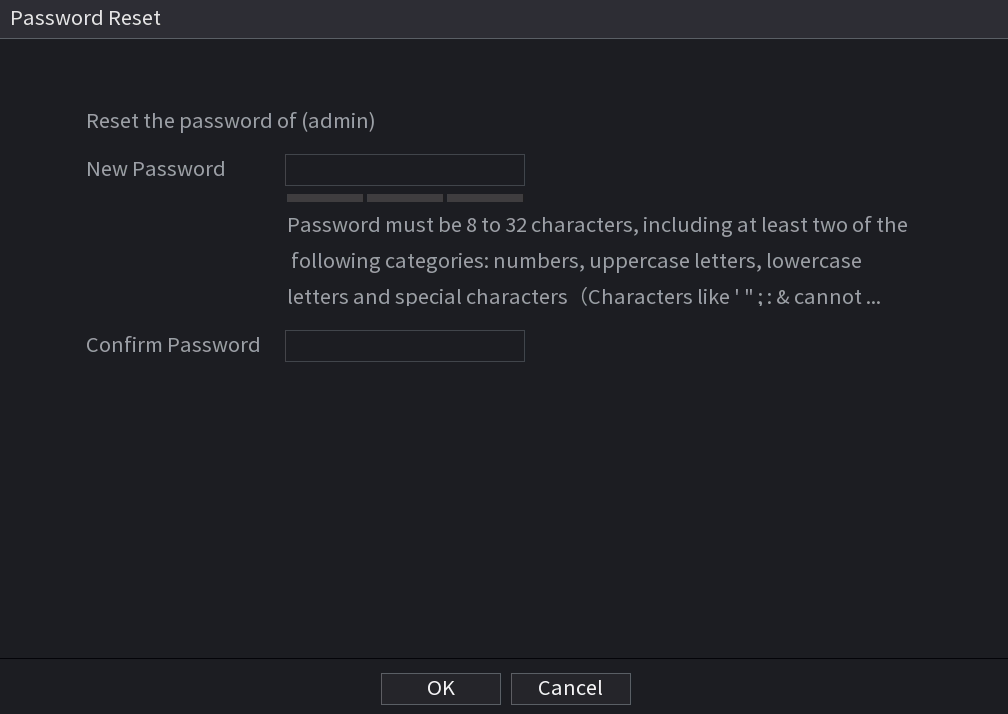 |
Enter a new password and select "OK" |
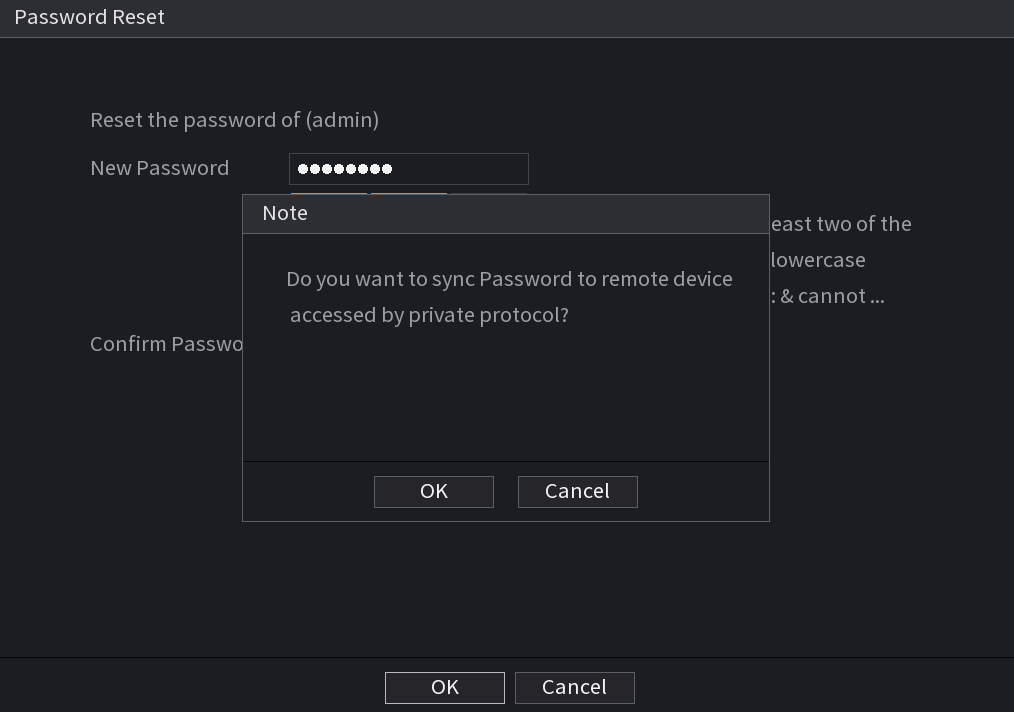 |
Your recorder may now ask you if you want to sync your Password. Select "Yes" and wait for it to finish |
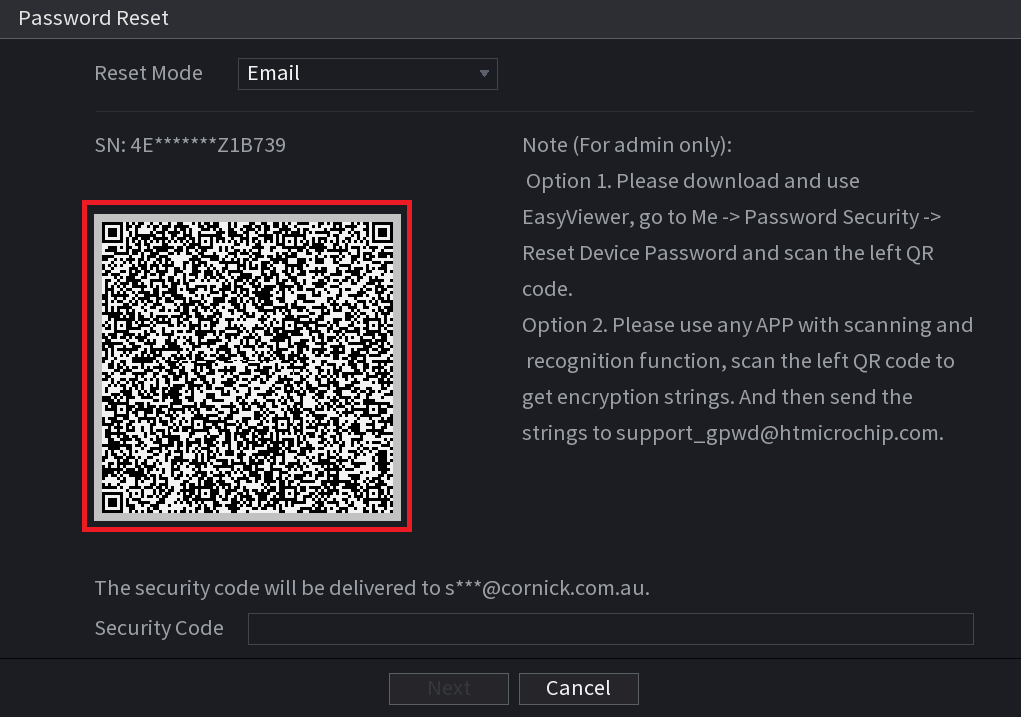
(Blue GUI) Recorder Password Reset
For a video walkthrough, please see the link below.
https://www.youtube.com/watch?v=taObZ3r12ks
Pre 2018 Firmware
If you cannot access the email associated with this device and you have the option to login to an account with username of “888888”, please contact our support team who may be able to assist you further.
This process will only work if you have the "Forgot password" or a padlock option on the System Login page like in the image below.
The recorder does not need an internet connection for this process to be completed, the device with DMSS on it, does.
 |
Click on the "Forgot Password Option"
You will be presented with the option to provide your secret question answers or enter your email address.
|
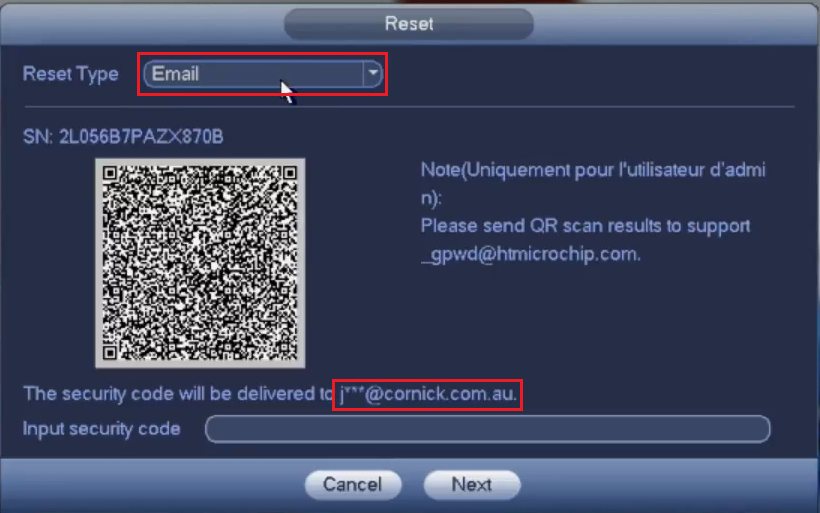 |
Set the reset type to "Email" and check that your email address has been entered correctly
(Note: If the Device was never initially set up with the email option or if you do not have access to the email address or have typed it |
 |
Open the DMSS application and tap on the Me icon (If your application looks different, ensure you are using DMSS, and it is up to date.) |
 |
Tap on "Tool Manager" |
 |
Tap on "Password Resetting"
(Note you may have to push + on the top right if scanner does not come up right away) |
 |
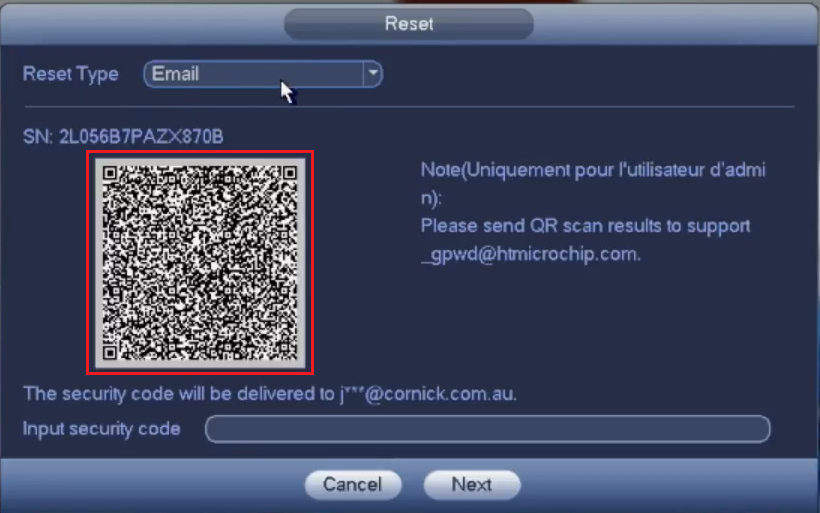
(Note you may have to push + on the top right if scanner does not come up right away) Scan the QR code that is on the recorder
|
|
You will shortly receive an email from "support gpwd" that contains a reset code |
Enter the security code and select "next" |
|
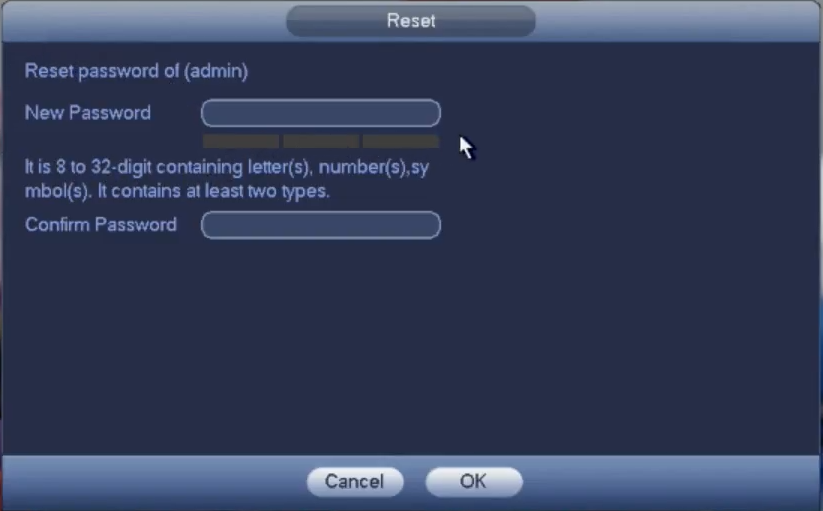 |
Enter a new password and select "OK" |
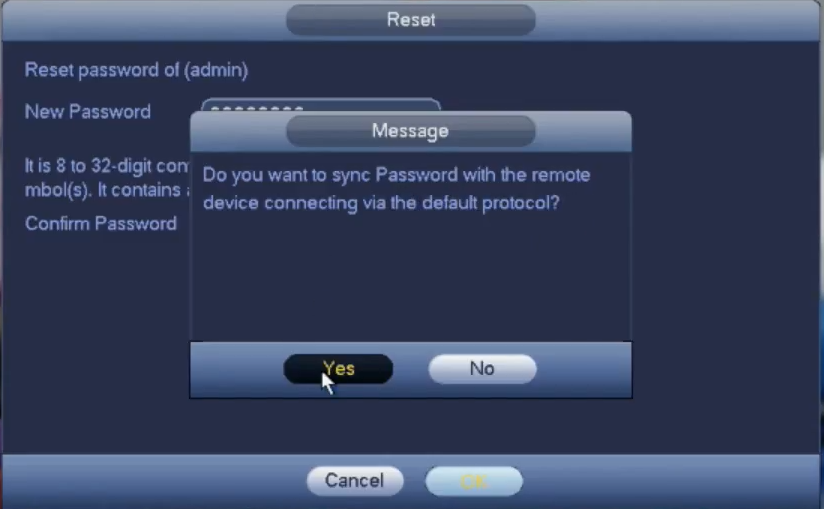 |
Your recorder may now ask you if you want to sync your password to your connected cameras. Select "Yes" and wait for it to finish. |
Using the Reset Button (Select Recorders Only)
When defaulting recorder in this way and there are PoE cameras that were initialized by the recorder, the cameras will also need to be reset. This is because the cameras password is set to the recorders password.
Resetting IP Cameras
Only some recorder models include a functional reset button on the PCB.
Some models have a button fitted to the PCB, but it does not perform a factory reset. For example, the NVR4PRO3 includes a PCB button that is non-functional and cannot be used to reset the recorder.
- Turn the recorder off, and disconnect power.
- Remove the lid of the recorder, then press and hold down the reset button, while holding the button down turn, the recorder power on.
- Once you hear a beep (approx. 30 seconds later), release the button. The recorder should now be reset.
NVR4PRO4
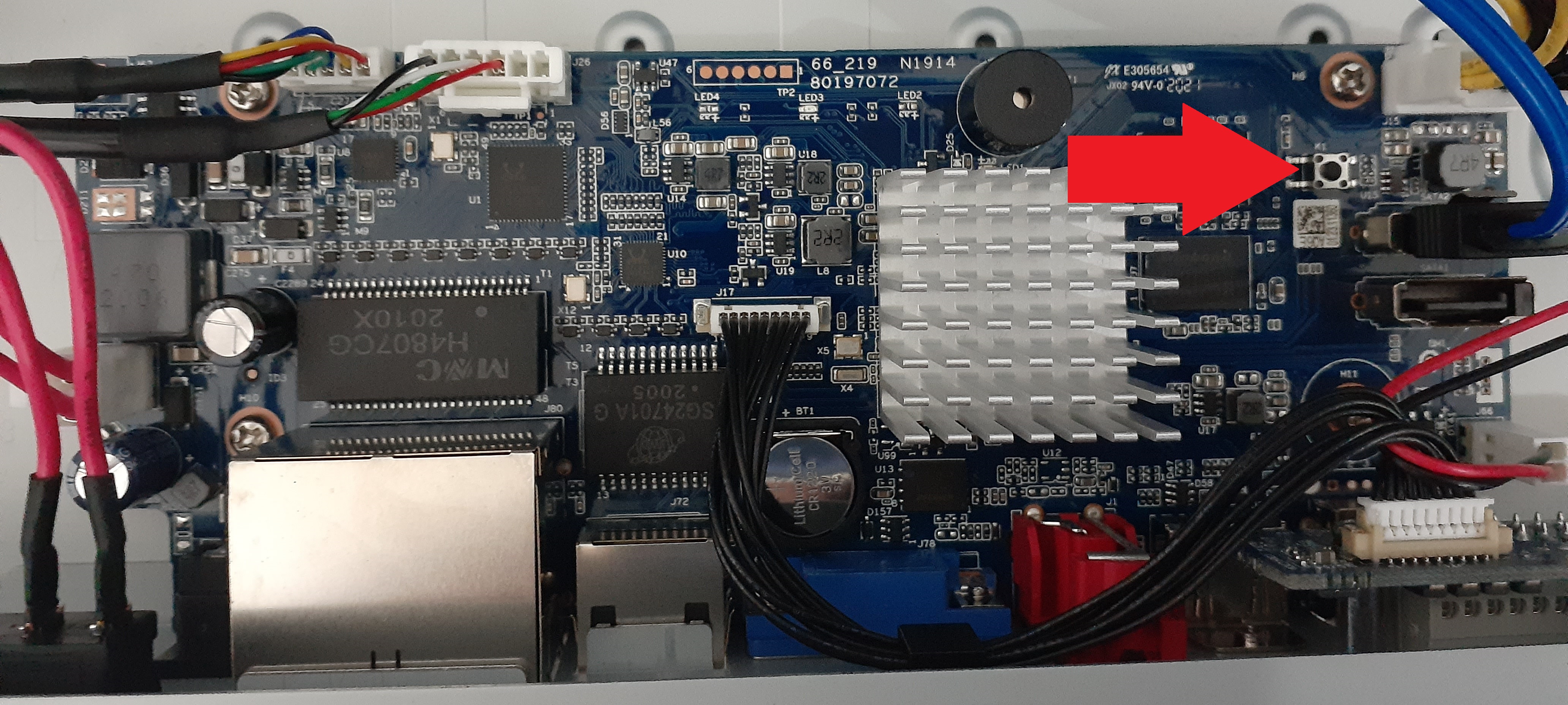
NVR16COM3
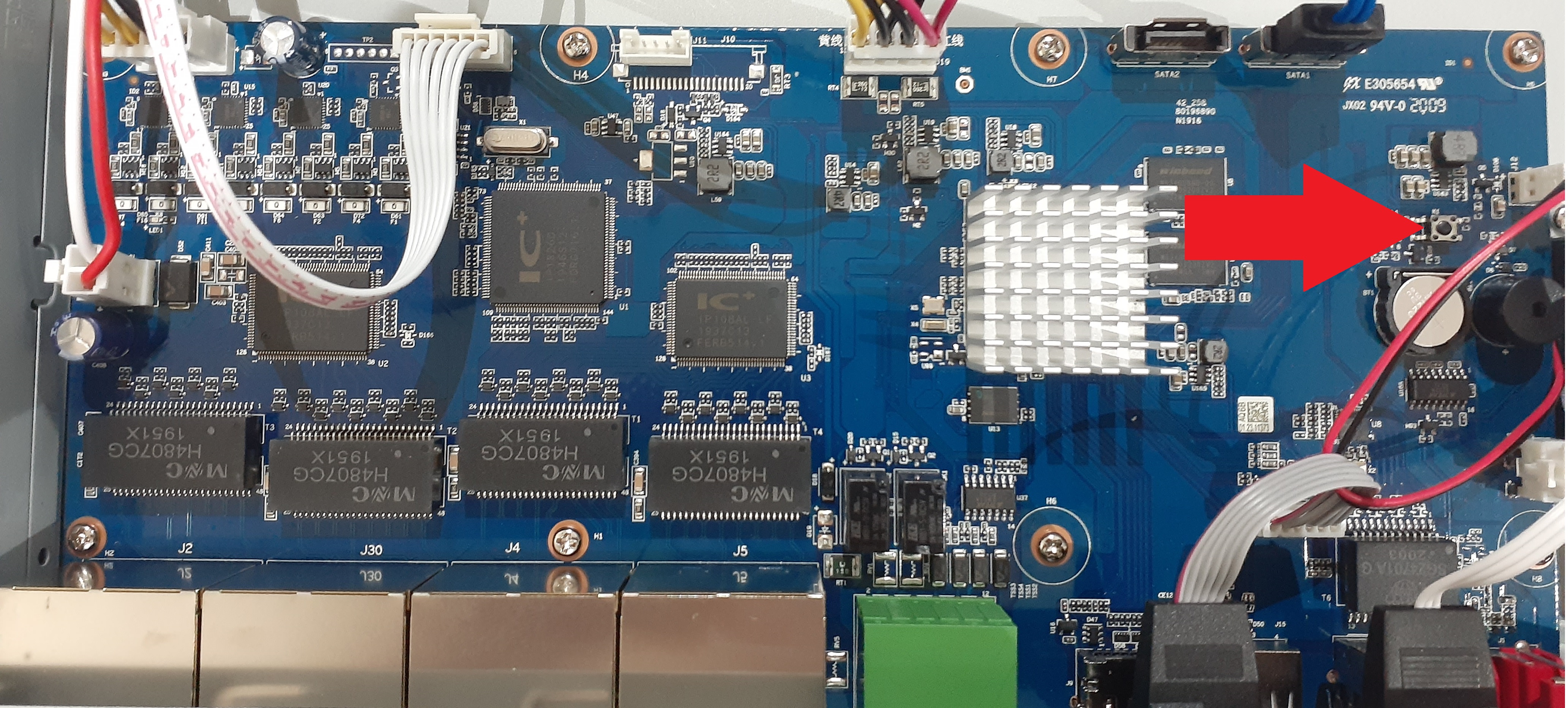
NVR-L81

Unable to Reset the recorder?
If the email that is bound to your recorder is unknown or you no longer have access to it, and there is no reset button on the recorder, the recorder will need to be returned to a repair center.
You will need to provide proof of purchase of the system upon return of the device. There will be a fee for the reset, plus the cost of return freight back to you.
Please contact your place of purchase to discuss this.